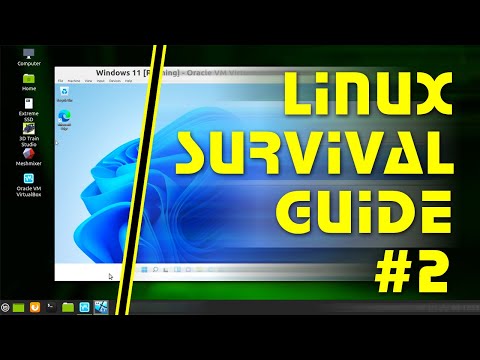
Linux Survival Guide #2: Running Windows Applications

Linux Survival Guide #2: Running Windows Applications

????

How can you run Windows applications in Linux? This video covers all of the options, including using WINE and related compatibility layer software, setting up a virtual machine, dual booting, and using a cloud Windows PC. Specific solutions demonstrated and/or discussed include WINE, CrossOver, Winetricks, PlayOnLinux, Lutris, Proton, Oracle VM VirtualBox, and Windows 365. There is also a demonstration of how to setup a Windows 11 virtual machine. This video makes reference to many other ExplainingComputers episodes and third-party websites, which you may find useful as follows: WINE & RELATED COMPATIBILITY LAYER SOFTWARE: WINE: https://www.winehq.org/ CrossOver: https://www.codeweavers.com/crossover#linux Winetricks: https://github.com/Winetricks/winetricks PlayOnLinux: https://www.playonlinux.com/en/ Lutris: https://lutris.net/ ProtonDB: https://www.protondb.com/ VIRTUAL MACHINES: Oracle VM VirtualBox: https://www.virtualbox.org/ 'Running Windows in Linux' (EC video with detailed setup instructions for a Windows virtual machine in VirtualBox): https://www.youtube.com/watch?v=OWmD8obq4eQ 'Top 5 Retro Applications' (EC video): https://www.youtube.com/watch?v=gI0Joz5ZT-g You can download an ISO of Windows 11 from this Microsoft web page: https://www.microsoft.com/en-gb/software-download/windows11 DUAL BOOT: 'Ryzen Budget PC Build #4: Linux Mint Dual Boot' (EC video showing how to set up a dual boot): https://www.youtube.com/watch?v=Q4zt3wEt7s8 'Ubuntu 20.04 for Windows Users' (EC video showing the setup of a Linux distro on an external drive): https://www.youtube.com/watch?v=UBCE-ZH_xLA CLOUD WINDOWS: 'Windows 365: Testing a Cloud PC in Linux' (EC video): https://www.youtube.com/watch?v=IVpiKSojHz8 More videos on computing and related topics, can be found at http://www.youtube.com/explainingcomputers You may also like my ExplainingTheFuture channel at: http://www.youtube.com/explainingthefuture Chapters: 00:00 Introduction 00:58 Native Linux Application 02:16 WINE & Co 09:28 Virtual Machine 17:43 Dual Boot 20:03: Cloud Windows 21:48 Wrap #Linux #Windows #ExplainingComputers

Advertisement

LEAVE YOUR COMMENT

LATEST COMMENTS

@DebabratGhosh-z2t Says:
Normal Start
@DebabratGhosh-z2t Says:
Normal Scan
@DebabratGhosh-z2t Says:
Search Normal
@DebabratGhosh-z2t Says:
Normal Website
@DebabratGhosh-z2t Says:
Normal Automatic
@DebabratGhosh-z2t Says:
Normal Share
@DebabratGhosh-z2t Says:
Normal Wikipedia
@DebabratGhosh-z2t Says:
Normal Tools
@DebabratGhosh-z2t Says:
Normal Optinos
@DebabratGhosh-z2t Says:
Normal Internet
@DebabratGhosh-z2t Says:
Normal Run
@DebabratGhosh-z2t Says:
Import file
@DebabratGhosh-z2t Says:
Page
@DebabratGhosh-z2t Says:
Esc
@DebabratGhosh-z2t Says:
Normal Window
@DebabratGhosh-z2t Says:
Feedback
@DebabratGhosh-z2t Says:
System
@DebabratGhosh-z2t Says:
Cloudflare
@DebabratGhosh-z2t Says:
Hi linux hey google
@001vgupta Says:
Right Sir. Thanks.
@AndyHewco Says:
I have been reluctantly resistant to moving to Linux.Your videos piqued my curiosity, I installed Ubuntu on an older laptop and for the first time I kind of feel at home with it. Most recently I had tried Mint but frustrations would often arise because it looks too much like Windows and this is problematic for me when I try to do things the Windows way, or try to solve problems as I would on a Windows PC (ie: settings, configuration and so on). Ubuntu (regular) on the other hand is familiar enough yet it's own unique thing and does not carry the same association. I know that might sound odd, but that has been a part of the problem up unto now. A question on the topic of virtual machines: I have a very old laptop running Windows 10 that has loads of stuff installed I'd love to move across to a virtual machine on my new shiny Ubuntu computer. Have you or would you consider covering how to create an image of an old computer and migrating to Virtualbox inside Linux?
@dennishaggerty8155 Says:
Does WINE conflict with Lutris or Proton? Just wondering if the three programs can coexist. Very useful video!
@robincross4625 Says:
I am trying to convert over to LINUX. I am an Amateur Radio Operator. One of the things we use a computer for is logging. Every contact I make, I need to log it in the computer. I have a Windows logging program I use. To make full use of it, I need a USB cable plugged into my radio from the computer. With this the computer will be able to access the Frequency, Time, Mode, Band, and several other things from the Radio. I have a Windows 11 machine that has the USB cable into the Radio. I like the logging program I have and paid for. There are LINUX based logging programs that will work as well. I have been advised by Amateurs that have changed from Windows to LINUX that it is best to change to a LINUX based logging program. Tis a quandary.
@growleym504 Says:
Using a simple bash script to perform incremental backups using rsync is a neat and tidy way to keep a linux computer backed up. That might make a good topic for a video. Another good one would be setting up Ubuntu, with the system on one encrypted partition and /home on another encrypted partition. Currently, the Ubuntu interactive installer does not do that for you. Another great topic would be linux security, which of course would built upon the first two mentioned topics. A lot of people use a swap partition when they have crazy amounts of RAM onboard and don't really need /swap. With everything encrypted and everything backed up with at least two encrypted external drives, a linux box is pretty close to bulletproof, but there are ways to open yourself up to hackers and malware that especially new users of Linux don't think about or know about. Because the perception among new users often is that Linux is immune from external hacks, but in reality the user needs to do his part, a bit of education is in order. Something else often overlooked is how vulnerable a Linux system can be or might not be, to someone with physical access to the hardware
@terranceroybal3222 Says:
Will office work with wine?
@jakobw135 Says:
What about using two SEPARATE DISCS - one with Linux and one with Windows - for a DUAL BOOT? Can the system be CORRUPTED like this?
@Dr.Akakia Says:
I know it is late and some of you already know this, but the best way, is to install windows and linux alongside eachother! In separate HDDs/SSDs
@n7ekg Says:
Damn! I wish I could get my computer to run that fast on an install! ;)
@gsq-44781 Says:
I'm always stuck with can't find bass.dll and impossible to open all windows app when using wine
@jamesrichey Says:
Thank you.
@Infinitesap Says:
Could you please help me on that disk Bay. Where to buy?
@geirha75 Says:
n1mm does not work well with wine, in my experience.
@Nick_R_ Says:
I tried Mint XFCE yesterday. I couldn't get Steam to work well with my old Quadro M2000, a 32 bit driver problem I think. The audio was problematic for a while too, using this channel as my test, though I think I fixed that. Then when I could get a game to run, native Linux, it would quickly crash. So I gave up and installed Win 10 IOT. The PC now runs fine. It's not being used for games, I just used them for testing. Maybe it would have been a better experience with an AMD GPU, or a different distro, or more recent hardware. But for now Win 10 IOT works better.
@ValorPhoenix Says:
Just in case anyone finds this useful, I have a Garuda/Win10 dual boot, and from Linux I browse to the Windows partition, right click a program, and execute it with "Wine Windows Program Loader" and it works better than installing it via Lutris. It doesn't run completely natural, as the settings weren't preserved, but this particular program has a known bug in Wine where it doesn't get installed with all the needed dependencies.
@JimmyW-j8o Says:
What about malware and antivirus software in Linux?
@NguyenTanThien-d5c Says:
Autos 4 mit Schiebendach dazu bitte & Boden Fernstern auch haben .......!
@NguyenTanThien-d5c Says:
Haben Sie Zimmer der Fernster WC vergessen ........? Ich habe in WC auch Fernstern .........!
@NguyenTanThien-d5c Says:
Ich bin Langweiiler ! Ist es schon alles Besten ...? Wie vieles Fernster haben Sie Zuhause ......?
@francishubertovasquez2139 Says:
It's time to reboot the treasuries and pockets, though inflation is still high than normal the people of ordinary could not be coping though the continued gargantuan area project infusion of it's income generations is still on a process to build, the return of 75 % of money and properties confiscated and stored from the storage dimension with .2% interest from the almost infinite resources in the multiverse of the energies converted to money but appropriated only the money conversion to the amount of money of it's .2% interest of money per group, organization, country or being deposited in there. The other remaining 25% if not penalized remains in the storage dimension not deducted. Teleporting back the ferried being in this present time. Let it be
@alexdefoc6919 Says:
A better alternative to Oracle VM is QEMU or KVM because it goes right to the kernel getting more performnace!
@charliemccraney Says:
When using Wine on a dual drive, dual boot Windows / Linux system, will Wine write to the C: drive or does it keep everything on the Linux drive and file system? An in depth and current wine tutorial would be great, installing and uninstalling, configuration, etc. Right click no longer has Open with Wine... as an option.
@PhilippeDHooghe Says:
Is there any specific reason why you advise VirtualBox, a type 2 Hypervisor? May there be less issues with I/O using a Type 1 Hypervisor? And why not the Linux built-in KVM?
@MSThalamus-gj9oi Says:
I love that storage has become so cheap, fast, and small. I've used the Drive Swap Dual Boot method for over a decade, via an IcyDock four bay enclosure. It's really cool to use SSDs now much in the way I used floppies in the 80s. :)
@MikeBob2023 Says:
Thank you, Mr. Barnatt. 🙏🏼 I'm thrilled to know that all those options exist, and very impressed by Linux' flexibility in particular. I have it in mind to maintain separate, dedicated Windows and Linux platforms (I have desk space for each, and more than enough components lying around to build the latter), but the ability to set up *virtual machines* in Linux is simply brilliant. Quite a 'Nice to Have' option in case I ever need it. _On to the next video!_ 👍🏼
@anujmeena Says:
❤❤❤
@seppmaler8434 Says:
By far the easiest to understand and to follow way of using WINE! Thanks a million.
@mihailvormittag6211 Says:
👍
@masoudfasihi4342 Says:
Will never jump to linux until all windows apps run natively
@practicalplinking6133 Says:
This is EXACTLY what I need !! AND I understand it !!
@eds5977 Says:
Thanks man. Very helpful

More Programing Videos