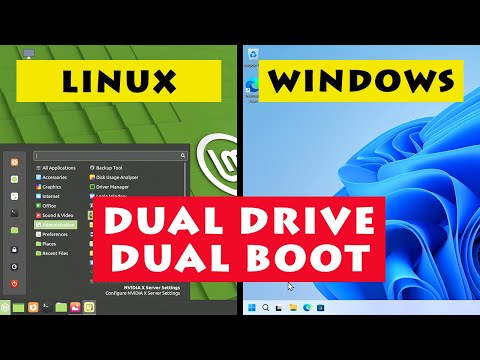
Windows & Linux: Dual Drive Dual Boot

Windows & Linux: Dual Drive Dual Boot

????

How to set up a dual drive dual boot, with Windows on one drive, Linux on the other, and the BIOS boot menu used to select between them. Video also demonstrates a single drive dual boot setup. The Linux distro shown in this video is Linux Mint 21, which I cover in a video here: https://www.youtube.com/watch?v=s74cta1cpRY And I have a tutorial on the DiskPart software (that can can be used to return a drive to factory state) here: https://www.youtube.com/watch?v=WYVBoXiF6cE The video in which I built the Ryzen 5 PC shown in the video is here: https://www.youtube.com/watch?v=Up4o9QQHJuY For additional ExplainingComputers videos and other content, you can become a channel member here: https://www.youtube.com/channel/UCbiGcwDWZjz05njNPrJU7jA/join More videos on computing and related topics can be found at: http://www.youtube.com/@explainingcomputers You may also like my ExplainingTheFuture channel at: http://www.youtube.com/@explainingthefuture Chapters: 00:00 Introduction 00:49 Dual Boot Options 07:27 Dual Drive Method A 13:48 Dual Drive Method B 18:22 Wrap #Dualboot #Windows #Linux #explainingcomputers

Advertisement

LEAVE YOUR COMMENT

LATEST COMMENTS

@iteachvader Says:
8:14 YES. PLEASE UNPLUG THE WINDOWS DRIVE. I willingly decided not to unplug it, assuming the Linux Mint installer would install the boot files to the EFI partition I created on my new drive... HOWEVER, my Mint EFI boot files and GRUB automatically installed to the Windows drive EFI boot partition! Even if you specifically tell the Mint installer to use your Linux drive's EFI partition that you _just made,_ it will _still_ install it into the Windows one if the Windows drive is plugged in. I had to manually re-install GRUB on the correct EFI partition, edit fstab, update GRUB, and then manually remove the incorrect boot entry. Not everyone can or is willing to do this! Don't be like me, don't be stupid. 🤪
@jackbriant1244 Says:
Hi, I do have two drives on my gaming laptop. However, is there a way to setup linux and Windows on my OS drive and keep Bitlocker Drive Encryption? I thought it would be possible to have two bootloaders completely seperate on the same drive. However a few yaers ago when I tried installing linux on a HP computer with Windows installed, Bitlocker kept tripping. Only reason is because I prefer Windows for gaming, and Linux for day to day activites. I did this for a dual drive setup on my mini PC, however I do not want to lose some storage on my 2nd SSD on my laptop. At this moment SSDs are too expensive to afford, even as an individual with a decent amount of income. It's ok if this is not possible but thought I'd query as a guy who works in IT, as I prefer Linux for normal day to day use.
@hymns4ever197 Says:
I read a comment to a different video that suggested setting a password to protect the BIOS/UEFI. This would protect the GRUB boot menu from being corrupted by Windoze.
@Dekmoore Says:
Thanks.
@madhuryapardhi Says:
Hello sir first of all thank you very much for this amazing video. it's very helpful. I have 128GB SSD & 300GB HDD I am planning to install Mint on my HDD. I've seen another gude where he did the same dual drive dual boot (while having both at once) method but he did extra steps By using some commands to temprory hide/move the flags or something of Windows to basically hide it from Linux Mint so it doesn't involve the main drive.
@BlockyFog Says:
the only reason to daul drive dual boot is nice if you don't have a menu you need to use
@anoxicmoron Says:
If however you are nervous, do as I have, - find a 10 year old machine maybe less than $100 , and practice on that. for a couple of months until you are happy with it, or decide it's not for you.
@teho3306 Says:
I've discovered one thing to check for when doing a dual boot/dual drive system is have any of the disks you are using got a 'recovery' partition on them? I notice from comments on the internet that the 'recovery' partion came in on Win10 and nobody seems to know why, since the 'standard' procedure is to have a recovery USB drive always on hand. I thought I had got to the stage where I could power up my PC with Win10 and Ubuntu installed, expecting to see the GRUB menu offering to boot from Ubutu or Win10 only to see it power up in Win10 and my Ubuntu disk corrupted.
@CharlieReece-y3e Says:
Well I did this using 2 Hard Drives, one problem I had was, I went to go in Firefox on Mint, I put in my email address then password, but Firefox said my password was wrong, after doing it 3 times it said it had sent a code to my email, well I couldn't get in my email to see it so had to restart and go in Windows, got the code, went back to Linux and tried again to start Firefox, again it said password was wrong and the code was wrong, did it 2 more times and gave up, I must be doing something wrong.
@CharlieReece-y3e Says:
I am going to do this on my PC, I only really want Windows for a couple of things, I'm fed up with Microsoft forcing things on me as well. Doing this duel boot will let me learn about Linux but still have the option to go on Windows, eventually I intend to be using Linux more often. This tutorial is the best one I've seen to do duel boot and very clear instructions as always.
@DarlesMan Says:
I tried the drive-removal method to install Ubuntu Server, but I think I deleted Windows Boot Manager, and Windows will not boot. Any suggestions?
@pavel.rasskazov Says:
Hi! I have problem with same uefi (gygabyte motherboard). Have 2 OS, Windows 11, Ubuntu 24 with grub. Separated disks (both ssd) Sometimes i get empty boot sequence when booting. But disks there are in list. Reboot can solve problem, but its very random. Sometimes from 1st try, sometimes from 5+ tries. Fast boot, Secure boot turned off
@KavyaDhiman-i7e Says:
is it possible that I can use a new HDD instead of a SSD for installing linux?
@movieklump Says:
i have windows an linux booting correctly on SATA 1 slot but together they wont share F9
@galaxytraveler5779 Says:
Hello, I just encountered a situation that has me perplexed, and would love for someone to explain this to me! So I am dual booting Linux Mint and Windows 10. Both installations are on separate drives and I haven't boot into Windows in months. Surprisingly, today when I turned on my system, it went into Windows boot loader instead of Linux. I thought it was strange and hit the restart button on my computer without logging into Windows. I went into BIOS and changed the boot load order that somehow got changed (I have no idea how). Linux loaded up fine and everything seemed to work okay. Then I noticed that I no longer had permissions to write to any of my mounted media drives, so I fired up the terminal to check permissions and everything seemed to be in order there. After over an hour of troubleshooting, I restarted the system, went into Windows and properly logged in and then did a proper shutdown. Logged back into Linux and magically got all my permissions back! I have never encountered this before and cannot understand what the heck that would be all about. BUT, I really want to know!
@frankvizzi4617 Says:
You should disable Bitlocker and secure boot during installation
@mrinstallzambia Says:
Thank you for this Tutorial. Well said and well Taught. 🤗 #Install
@MikeEdmundson-l4i1p Says:
Hello , Followed your instructions but did not work until i realized the M.2 slot disables some of the sata ports . A quick check on the manual and chose a different sata port and everything works great . I watch a lot of your videos with your clear and easy narrative . Keep up the great work !! Thanks Mick
@regicox Says:
2 years later and I LOVE your videos and your channel. However, It turns out that when you select the location you want grub to go to in "something else", It still defaults to the Microsoft internal ssd. I found this out the hard way trying to set up a portable version of Linux Mint on an external hard drive. You MUST disconnect the Windows drive if you want grub to go on the Linux drive. It's an old install defect in Ubuntu that Mint still carries for some reason. Maybe they don't know about it. Any ways, This video helped me figure it all out. I greatly appreciate all your videos and all your hard work. I am a subscriber and follower for life!
@SleightSoda Says:
I found this video very informative, but I wanted to confirm if I understand something correctly before I proceed. I have a laptop with two drives, one of which currently has Windows on it, and the other drive is blank. With it being a laptop, it is inconvenient to do the hardware method (method a). However, I would like Linux to be the first OS that the laptop boots into, preferably without having to select from the Grub boot menu each time. At 16:52, having installed Linux Mint following method b, you went into the boot menu because you suspected Linux would be the primary boot option (and it was). If I were to allow it to be the first boot option, would I be able to boot into Linux without seeing the Grub boot menu every time?
@HangrySnorlax_ Says:
My mini pc has 2 m2 slots. I have 2 2t drives. Could I just use my live usb to format one of the drives to install on it ? Would that cause any grub problems ?
@jakobw135 Says:
Instead of going to the bios, can you access Grub and choose Linux or Microsoft from there?
@jakobw135 Says:
Doesn’t it make more sense - The other way around. - LINUX first, and then Microsoft Windows?
@jakobw135 Says:
Why install Microsoft Windows first - and then LINUX?
@timnewtonmbpss4522 Says:
This is a fantastic video, and is something i managed to achieved myself a short while ago. I now have a 1tb SSD running Windows 10 Pro, and the other 1tb SSD running Linux Kubunto with Plasma 5. However,, although i am able to choose which SSD to boot from when i start up the PC, each time i choose Kubunto, i have a short 5 second delay before log-in appears, with a message - EFI stub: WARNING: Failed to measure data for event 1: 0x00000000000000b It's not really a major concern, as judging from forum visits nothing is being harmed. However, it is rather annoying, and i believe it to be a MOK issue ? I may choose to do a fresh install of Kubunto then update the grub menu to see if this resolves the issue. Or would it likely be resolved more easily? All this aside, migrating to Linux has been the best thing i've ever done, and you videos are second to none. Thankyou.
@SaN_D-S Says:
Hi I need help! so I Installed Linux mint on a separate HDD sata via usb to dual boot without removing the nvme SSD(windows 11) still inside my laptop. The problem is once I removed the Linux mint usb HDD the pc won't let me boot windows. Ive tried boot menu and bios menu to boot into windows but if I don't connect the Linux HDD it loads into GRUB. It's frustrating. Ps- I wish I watched this video to install Linux 😭
@robshimer Says:
I messed up on the dual boot. Now I want to get rid of Win10 completely.
@robshimer Says:
I have a desktop that won't update to Win11. I have a second SSD for storage. I assume the install method B is the same???
@bytewarden6186 Says:
he made this look so easy when i did it windows hijacked the bootand wouldnt even let me in my bios
@simongardiner3283 Says:
So I am about to do a dual drive with Linux Mint and Windows. My question is, can I add extra drives for storage (I have two 240 GB SSDs for OS and two 1TB HDDs for storage), and can it be set so that Linux stores on one extra drive and Windows stores on another extra drive?
@AbelKaludzu Says:
You are a good Tutor. Thank you. Subscribing right away
@rao27_cs Says:
I have always left the other drive installed while installing a second is on a separate drive. Never had an issue so far. What is the reasoning for temporarily removing the windows drive?
@LordOsiron Says:
This was a great explanation! I would only use the dual drive dual boot method! When I first switched to Linux when Windows 10 first came out and destroyed my Windows 7 era machine I dual booted with Windows 7, but the Grub eventually got corrupted and I had to reinstall Linux, which I switched to permanently. But I just built a new Gaming Machine with plenty of NVME drive space so I plan do use my old 550G NVME for a Windows drive. Sometimes I do need Windows for a game that doesn't work well on Linux (Which is rare these days) or to configure a Controller that only uses Windows, and Wine just never seems to work, and I don't want to allocate space to a VM.
@mscislawww Says:
Thank you for the tutorial! It turned out much easier than I thought
@dannyj1969 Says:
Hi, I am currently running a single drive dual boot with Win 10 and mint 19.3 on my computer which is almost the same as the one in the video sporting a 500 gig 970 EVO m.2, I have already installed an additional 128 gig blank SSD in the computer and am on the brink of installing mint 22.3 on it. Before I attempt this , is it possible to install 22.3 on the existing 19.3 partition as I really don't want or need 19.3 anymore but don't necessarily want to install 22.3 on the recently added ssd , would like to stay with a 1 drive dual boot win 10 and 22.3. any advise on which way to go. I just feel that a dual drive dual boot will just waste all the space on the 19.3 partition that I really won't be using much anyway.
@nokodegaming Says:
Cheers. I did the physical unplug method and it works perfectly. Thank you so much!
@oldman4969 Says:
If I dual boot with 2 separate drives (dual drive dual boot), would I still be able to back-up data from both drives onto 1 back up drive?
@lexpee Says:
Does this also work on an notebook with the USB C port. First Remove the SSD in the notebook and the extra USB SSD for Linux Mint?
@NviGWarren Says:
Watching again. Now trying to figure out how to get Windows off my second drive.
@jamesjonsy Says:
very good explanation
@zesu531 Says:
absolute lovable personality. And a great teacher too. Thanks
@leonardoherrera8092 Says:
Muy Buenos días mi estimado amigo, excelente explicación, esto es lo que estaba buscando para instalar Garuda Dragonized Gaming en dos discos diferente en mi computadora. Saludos desde Caracas-Venezuela y que sigan los éxitos.
@redneck1st555 Says:
Now the question for which I have with the dual drive for installing both the Windows and Linux os are they both considered the C: Drive? or is one considered D drive? Also I like to keep my games on a seperate M.2 is there a way which I can access the game drive in both OS'es that are on different drives?
@RikardÖqvist Says:
Thanks for the video, good work! I want to setup a dual boot using two separate drives and select boot device with BIOS. The safest way is to physically remove each drive when installing the respective OS. However, it is very complex to remove my NVME in my current build. It can’t be done realistically. I haven’t found an option to temporarily disable the NVME in my BIOS which should do the trick, but maybe I just have to dig deeper in the settings… I have an idea - would it be enough to encrypt my windows drive with bitlocker? In theory the Linux install should not be allowed to write anything to the nvme drive and I think I should be able to remove the Linux SSD at will and it should be equivalent to a physical removal of the windows drive during install. And I should also encrypt the Linux install so that windows can’t touch it either of course :) Do you think this could work?
@mrman880 Says:
Windows is not showing up on my GRUB menu after following method 1, any idea?
@eddieconroy2837 Says:
Many thanks Christopher, a great video, well explained. Finally ready to give Windows 11 the ditch...and give MINT a go .love the idea of dual drive /dual boot.
@russellmurray1636 Says:
while i like your hardware dual boot method, does that mean unplugging the windows hard drive anytime Linux decides it wants to do a kernel update? as that would force a refresh of the grub boot menu, no?
@Slim_876 Says:
Thanks I just made the switch. Windows will be there only for me to play Fortnite and other games. Mint for everything else.
@vinnivanhood Says:
I have 6 other hard drives, (to do your first dual drive method) do I have to disconnect all of them or just the one with windows?
@johnsmith5139 Says:
Is it normal for the Grub menu to open after installing Linux according to the dual drive-dual boot configuration (Method A)? I installed Linux Mint using that method and promoted Ubuntu to the first boot position in the BIOS. However, when Linux boots, it enters the Grub menu, with options for Mint, Mint advanced options, Windows, and UEFI firmware options. The menu counts down from ten and then boots Linux. I'm using the Dell BIOS, so the layout and information is different than in your system. In the boot options, it lists: Ubuntu, Windows, my WD HDD (which has Ubuntu on it), then my Samsung SSD (which has Windows on it). I tried loading the latter two and they load Linux and Windows, respectively. It seems, then, that no part of Linux has installed on the Samsung (Windows) drive, as happened in your second installation method, which did not involve the physical removal of your Windows drive. Is it normal under these conditions for the Grub menu to load? I know from your tutorial that Windows can corrupt the Grub menu via its own updates, which is why I chose the physical-separation method of installation. But now the Grub menu shows up, I'm not so sure that the two installations are truly segregated. Has something gone wrong? Any help you could give me would be very much appreciated.

More Programing Videos