Best Value Ryzen PC Build

Best Value Ryzen PC Build

????

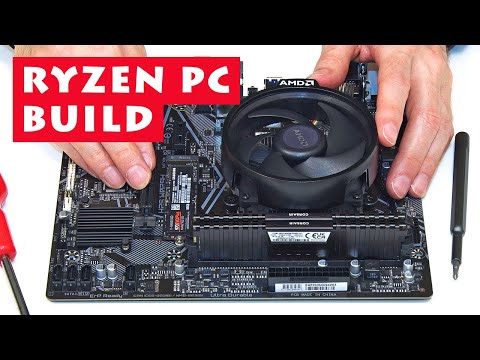
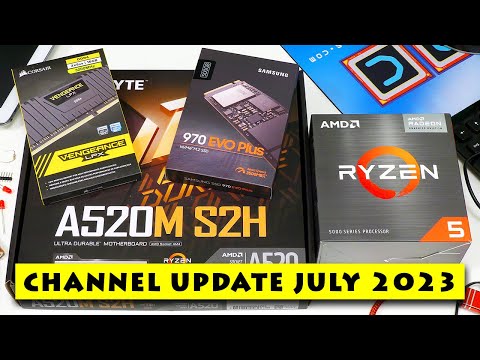
Ryzen 5 PC build, with a total cost of £234 / $270 + case and PSU (June 2023 prices). All components used in this build are listed under 'Ryzen PC Build' on the ExplainingComputers Amazon storefronts: US Storefront: https://www.amazon.com/shop/explainingcomputers UK Storefront: https://www.amazon.co.uk/shop/explainingcomputers Alternatively, the components for my 5600G build, or an alternative 7600X build, are listed below. Note, as listed, that for the 5600G build you need DDR4 RAM, and for the 7600X you need DDR5. FOR 5600G BUILD: Ryzen 5 5600G: Amazon US: https://amzn.to/3CSZpZO Amazon UK: https://amzn.to/3PxXelV Gigabyte A520M S2H: Amazon UK -- https://amzn.to/42qneCu Amazon US: https://amzn.to/3qvac9y An alternative is the MSI A520M-A PRO Gaming: https://amzn.to/3PrHMrA Samsung 970 EVO Plus 500GB: Amazon US: https://amzn.to/43qsCqS Amazon UK: https://amzn.to/3Cem4iQ 16GB Corsair Vengeance LPX DDR4 RAM (2x8GB): Amazon UK: https://amzn.to/43C6Srq Amazon.com: https://amzn.to/3qwvXFZ An alternative is the Patriot Viper Steel kit (Amazon US): https://amzn.to/3XCTSQQ FOR 7600G BUILD: Ryzen 5 7600X: Amazon US: https://amzn.to/46pFSO9 Amazon UK: https://amzn.to/3JCVT9X Gigabyte A620M S2H motherboard Amazon US: https://amzn.to/44a2OiA Amazon UK: https://amzn.to/3XsLO4X [A620 motherboards from other manufacturers could be used]. Samsung 970 EVO Plus 500GB Amazon US: https://amzn.to/43qsCqS Amazon UK: https://amzn.to/3Cem4iQ Kingston Fury Beast / Renegade 16GB DDR5 RAM (2x8GB): Amazon US: https://amzn.to/434mGmj Amazon UK: https://amzn.to/42ZilAM Please note that as an Amazon Associate, I earn a commission from any qualifying purchases that you may make if you click on the above links. Also note that the above information has been carefully checked and, like the video, is provided in good faith. But you are always advised to check what you purchase before ordering, and in particular to check that any processor and RAM you order is compatible with your motherboard. You can do this by visiting the web page for the motherboard. Zorin OS is available from: https://zorin.com/os/ X-Plane is available (in both a demo and paid version) for Linux, Mac and PC from: https://www.x-plane.com/ Other videos referenced during the build were: Explaining Motherboard Chipsets: https://www.youtube.com/watch?v=psQa3dSk4JY Explaining PCIe Slots: https://www.youtube.com/watch?v=PrXwe21biJo Explaining USB: From 1.0 to USB4 V2.0: https://www.youtube.com/watch?v=PctX3kcTj5U Explaining PC Front Panel Connectors: https://www.youtube.com/watch?v=nBJJj3FB2P8 Explaining PC Power Supplies: Will post in July or August 2023. :) Zorin OS 16 (includes OS installation): https://www.youtube.com/watch?v=GTMBFtl_xs4 PC BIOS Settings: https://www.youtube.com/watch?v=ezubjTO7rRI IMPORTANT: Since I made this video, I have read a report of a theoretical security risk in the firmware updater included in many Gigabyte motherboards, including the one in this build: https://eclypsium.com/blog/supply-chain-risk-from-gigabyte-app-center-backdoor/ However, no exploitation of this risk has been reported, and Gigabyte have issued an advisory with a BIOS update fix: https://www.gigabyte.com/Press/News/2091 I have personally also disabled 'APP Center Download' in the BIOS, which stops the updater running. I would advise doing this as follows: Press 'Del' on the Gigabyte splash screen on boot to enter the BIOS. If it says 'Easy Mode' at the top of the screen, press F2 to enter 'Advanced Mode'. Go to 'Settings' (top menu, third across) and click on 'IO Ports'. Click on 'APP Center Download and Install Configuration'. Double click the 'APP Center Download and Install Configuration' orange bar, and set to 'Disabled'. Click on 'Save & Exit' (top menu, on the right) and then 'Save & Exit' and select 'Yes'. Sorted. The firmware updater with a potential security risk is now disabled. === For additional ExplainingComputers videos and other content, you can become a channel member here: https://www.youtube.com/channel/UCbiGcwDWZjz05njNPrJU7jA/join More videos on computing and related topics can be found at: http://www.youtube.com/@explainingcomputers You may also like my ExplainingTheFuture channel at: http://www.youtube.com/@explainingthefuture Chapters: 00:00 Introduction 00:53 Selecting Components 05:08 Motherboard Specification 10:36 Fitting the APU & Cooler 14:37 Fitting the RAM & SSD 17:20 A Metal Skin (installing in the case!) 21:47 5600G in Action (some tests) 24:37 Things to Come #Ryzen #PCbuild #Ryzen5 #explainingcomputers

Advertisement

LEAVE YOUR COMMENT

LATEST COMMENTS

@ExplainingComputers Says:
Since I made this video, I have read a report of a theoretical security risk in the firmware updater included in many Gigabyte motherboards, including the one in this build: https://eclypsium.com/blog/supply-chain-risk-from-gigabyte-app-center-backdoor/ However, no exploitation of this risk has been reported, and Gigabyte have issued an advisory with a BIOS update fix: https://www.gigabyte.com/Press/News/2091 I have personally also disabled “APP Center Download” in the BIOS, which stops the updater running. See the video description for instructions on how to do this (scroll down to “IMPORTANT”).
@deanothemanc5281 Says:
Just recently built a similar system, except i put in a cheap 5 3600, very happy with it so far, that red Stanley knife must be ancient, as ive got the exact same one, my dad gave it me about 25yrs ago 😂. Great informative video as always.
@poseidon3032 Says:
Ever since Windows 11 and A.I., computer builds have become unfun
@Zzawel Says:
I paid $300 for 32gb of DDr4 ram
@westwonic Says:
Why did you not use the slightly improved Ryzen 5 5600GT?
@sakikogookheng Says:
23:45 - Would a non-gamer have clocked over 10,000 hours on Solitaire?
@vpchelko Says:
amd APU is good - I still sit on 2400g as my main desktop
@antoniiocaluso1071 Says:
think this is still "worth" building in 7/2025?
@abanichdoch8318 Says:
"Luck is on my side. Whats about to go wrong next?" Iconic! :))))
@AbhayKumar_69 Says:
Now that's the video I had been looking for. Perfect guide, detailed and precise.
@tomflynn4477 Says:
I built this same system before viewing your video, last December, as a birthday gift for my Mother, coincidentally (the SSD and RAM are a bit different though). Ironically I also bought her a new cell phone for Christmas, due to lack of android updates to her old phone so I couldn't run apps like banking anymore that used to run on older android level...and the phone was only a few years old....not good, probably will spend way more for needed phone upgrades with time than we spend on PCs which we tend to keep for more than a decade....even moderate cell phones aren't inexpensive in my view. I came to similar conclusion about what I wanted to get for her...mostly needed because she had a 12 year old HP system with an I5-2400 that couldn't readily be upgraded to Windows 11 from Windows 10 (she needed Windows). I added the price of the Windows 11 Pro license to my cost sheet. I also wanted integrated video; my Mother doesn't game or produce content, and she has an older TV set that frankly I should just discard and replace for all the problems I've had when hooking it up to the computer. It was a 50th anniversary gift from us, so it has sentimental value, but otherwise is a pain to use as it isn't mutisync....only works at 1280x1024, in fact it won't display the UEFI menu from the motherboard as it doesn't default to that resolution, so I have a small 15" flat panel I use if I need to get into firmware menu. That's also why I wanted integrated graphics, I've had enough problems with system coming up with no display that I'm gunshy, I didn't want to have to have a PCI-e GPU card so I could simplify her system some (I don't live with her so I need it to work when I'm not around. I had an old mATX case and 400 watt power supply I reused for it. Didn't need place for mechanical hard drive but wanted to be able to add it as backup device later on. The Ryzen 5 3600G is PCI-e 3.0, so didn't need to get a PCI-e 4 m.2 storage either. Neither do we need overclock capability on motherboard. Anyhow, here's what I bought. All items are new. I found a guy on Craigslist that sold me the new Gigabyte 520S2H and Ryzen 5 5600G and stock heatsink for $140 rest were ordered online. The keyboard, mouse, and display were previously purchased and reused. Oh I also reused a Hauppauge TV tuner card (don't have network based TV tuner yet) in the other PCI-e slot. And if I add a mechanical hard drive that had previously been purchased as well and is just reused here. OS Windows 11 pro 19.97 Motherboard and CPU 140.00 M.2 card 1TB gen3 pci-e 49.77 16GB ddr4 3200 CL 28 23.78 Thermal compound 12.00 ====== 245.52 As you mention, going to AM5 would have added about $200 to the CPU/Motherboard cost (more than doubling the $140 I paid for both) though promise of upgrades thru 2027 are worth something, especially since her computer rarely gets updated. That's the reason I had to buy DDR4 RAM, her I5-2400 had 8GB of DDR3. If I added a graphics card (even a modest one) to an AM5 system it would certainly be faster, but probably 3x the cost of this one. I thought about just buying a mini computer (one of those small desktop computers that have laptop processor) but since I needed a PCI-e slot for the Hauppauge TV tuner and had a mATX case, I went with larger physical system. A network tuner card would be about another $100 but after buying it could reuse on subsequent builds, but of course tuner cards also change, for instance for 4K and 8K resolutions, so if we wanted better resolution it would need to be updated at some point (plus I'd have to buy her a 4k/8k TV as well). Also harder to add mechanical drive to micro computer, would have to be 2.5 inch rather than 3.5 inch we had already, so add another $50 for a 2.5 inch disk when going to micro computer rather than mATX. My dear departed Father was a fan of AMD, not sure how but I think he knew Jerry Sanders (my Dad worked on semiconductor processing since 1956 for several companies). Plus, we live in city with AMD site, I've worked with some of the people that have moved to work at AMD (I've never done so myself) so a bit of loyalty to former co-workers I guess as well. Dad built several AMD systems himself, or near the end bought the parts and would look on as I'd put them in the system since his fingers were losing dexterity and he'd often drop screws. His last Intel system might have been the PC-AT he bought in 1986 (the one I paid $100 for a mouse and AT bus adapter card for). He wasn't a gamer either, but always bought a graphics card for his system even if the processor came with integrated graphics. They come in handy for the processors that don't have integrated video which I've built for my own use (I no longer need much for graphics, since retired and not a gamer nor content producer either).
@DavidGolder Says:
Considering this is a 2023 video, are these components still your recommendation for an entry-level AMD system?
@ravindra_devrani Says:
Thanks a lot for detailed explanation. I have question, does this motherboard comes with inbuilt Bluetooth and wifi? I m getting hard time to find it in the product specifications.
@berbum4530 Says:
no overclocking, no ads just pc building. i wish i saw this much sooner!
@peterw.9703 Says:
I have learned so much from this channel. I have built a version of this build it is solid even today. " I am not a gamer". Then crashes the plane right off the runway is comedy gold. Thanks for your videos.
@robertlink6097 Says:
Curious, what do I need for a powerful (non graphics oriented) office accounting computer. Cpu & motherboard compatible with pcie samsung 990 pro m2 card (ver 4) with 32 gb ddr5 memory
@ibizenco Says:
One year after this video, I put together a Ryzen PC for my parents, "senior" citizens, to replace their ancient Mac Mini (with a Core2Duo, so go figure). It comes with a Ryzen 3 4300G and 2x8 GB DDR4-RAM of 2666 MHz (from G.Skill) on a Gigabyte B550M-DS3H motherboard in a Deepcool CH370 computer case, together with a 550 W PSU from BeQuiet. And everything works fine. 😊 It cost about 420 EUR, or some 350 UK Pounds/450 USD (more expensive that the (German) MEDION PC I bought last year just out of curiosity - but it is a Ryzen, so...👍🤭)
@lesliedeana5142 Says:
A Fun, fine build!
@eddietrendez Says:
16:21 "something always has to go wrong with me getting inside". Me too brother, me too.
@josephm8294 Says:
The enthusiasm for opening a new motherboard is real. You can hear it in every PC builder's voice.
@franzribcek Says:
I imagine a walk inside your mind as a walk in the Washington library: everything neatly laid out and shelved for easy reach. Thank you very much for the time and effort you put into your videos, especially for explaining everything you say. As someone else mentioned, this video is a gold standard for PC builds. I wish I could see your take on more mainstream tech, like Nvidia GPUs or Intel processors, but that's just my request, I like the fact that your channel kind of sticks out content-wise compared to "more popular" tech channels.
@georgemarius5256 Says:
Thank for all the info! Excellent explained!!
@DaveRyder-po4gq Says:
May just have to build an AMD Desktop computer, have an Intel laptop, thanks for the refresher course.
@zbiromax9228 Says:
Hello. On this processor with integrated facsimile, will I achieve refresh on the monitor screen above 100Hz via HDMI cable or DP cable at FHD resolution?ps . The Monitor has an option of up to 170Hz at 2k . Thanks.
@LadyNinjaGaming Says:
Using this motherboard to make a streaming PC, thanks for the info and build
@fly757able Says:
Thanks Chris For A Briilant Video Guide.
@Redmirax Says:
The only faulty part was the motherboard. While the A520M S2H is good you could've got an A520M DS3H for 10$ more, you would've got 4 ram slots instead of 2 and a bit more features
@onestandhand Says:
ty so much for leting me know about the prices , I am grateful you shared them cus in 2024 in a contry that starts with letter R price is 530$ in 2024 i wish you a happy new year glad i did not lose 260$ to the store that sells it but i am sure someone else will still buy that eventually .
@passionatebeast24 Says:
Great. Tutorial. Thank you. Can i play 1440p 60fps on most AAA. if i pair it with rtx 4060/3060/4060ti?
@Indian-r6i Says:
Explained in very detail.
@ArifGhostwriter Says:
🇬🇧 👍🏽 November 2024 24:00 I'm sending this to Hoover (Pilot Debrief) for analysis.
@volkerking5932 Says:
for 2 Years I stopped my operation on my Ryzen 7 in case of the high Energie consumption! We pay here in Vienna Austria so there is a high electric bill that you can't believe. my PC runs from about 10:00 till 23:00 with minimum 360Watt this is not to pay. kWh cost in this time €0,46/kWh and I render for my channel...😢
@yitspaerl7255 Says:
A year after your deployment, this is still a good balance between cost and performance. I use a similar set up system as desktop. In addition, my Proxmox server runs on a motherboard with the same chipset and AMD Ryzen 5 5600G. The processor has 6cores and 12 threads, which makes it very suitable for the virtualizations I run on Proxmox. Nice video! This Qflash from Gigabyte is a clever solution b.t.w.
@pieterpauwelbeelaerts5995 Says:
novice here. These motherboards are not huge. Makes me wonder if you could replace the PSU with a solar charge controller and a battery to deliver stable 12V power... and have a portable desktop-solartop that works when the sun shines (or when the battery is charged)?
@FZIdeasOfficial Says:
This is awesome! Chris, can you create a new video with the current market situation? I haven't built a PC since approximately 2015 and I'm VERY LOST! Thank you and keep it up, I can't get enough of your channel!
@PC-Audio-r3c Says:
The best!
@MimiMimi-yj4kl Says:
Psu placing above is not a good idea in terms of heat dissipation.
@flips300021 Says:
Great intro into PC building. Thanks!
@ultralagger1 Says:
I want to build a new PC using the Phanteks Shift XT case, this video helped!
@paulbenzley4549 Says:
Thanks Chris such a great video as usual !!! How do you find out which RAM is compatible with the motherboard and processor?
@HemiLyfestyle Says:
This was perfect, thank you
@the_defaultguy Says:
this is literally my budget and planned parts😭
@420bobby69 Says:
Those Ryzen APU are way better than they have any right to be for graphically intensive applications, especially the new ones that have come out since this video. I wouldn't say the NEW ones are the best bang-for-buck in a desktop vs. an inexpensive dedicated GPU, but for SFF or power-limited scenarios they are SO good. My little Framework laptop has the 7840u, and I'm blown away by how good it is for an iGPU. It even has support for hardware accelerated GPU rendering via HIP in Blender!
@Peter_Potato Says:
Thank you for this. I've settled on a very similar build. There seems to be fewer and fewer motherboards being released for multi-monitor support and AMD's APUs so I was keen to grab this Gigabyte motherboard before it disappears from sale. Updating the BIOS will likely be one of the first tasks thanks to your pinned comment. Nearly all other YT channels seem to be aimed at gamers who abhor the idea you may want to actually use 3 displays and utilise your machine productively.
@richardalexander1330 Says:
I built my PC with all those parts but I had to do a lot of research. If only I had seen this video before, the construction would have been easier for me. Either way, this PC is great and works perfectly for me. It is very good and the cost is excellent for someone who does not have much of a budget.
@GungaLaGunga Says:
your videos are excellent. thank you sir.
@nasaspace7212 Says:
This guy is a national treasure
@rangramp Says:
Hi, thanks for the video. I have a similar set up but with a Ryzan 3 and the same wraith cooler. Some sites seem to be suggesting that there is a thin plastic film protecting the thermal paste which needs to be removed before attaching the cooler, but i cant find a definitive answer on this. My cooler doesnt seem to have any sort of film on it from what i can see similar to your presentation. Any suggestions?
@jdpromedia Says:
Is the io considered legacy at this point? It's pretty cool
@JMF-Aquatics Says:
I build and fix PCs for a living, So I don't really need to watch channels like this, for education purposes. But I enjoy watching particularly when I have no build jobs on you could say I'm addicted to the new build aspect of PCs. For instance, it helps me stop buying PC parts and building PCs I have no home for just to satisfy my need to build. What I like about this channel its building without all the fluff and childish nonsense you find on most other channels. I would and have recommended Explaining Computers to some of my customers because although I can build and rehear PCs, I don't have the patience or the required delivery skills to explain all the ins and outs. Top job keep up the good work.

More Programing Videos